
Track Time Without
the Friction.
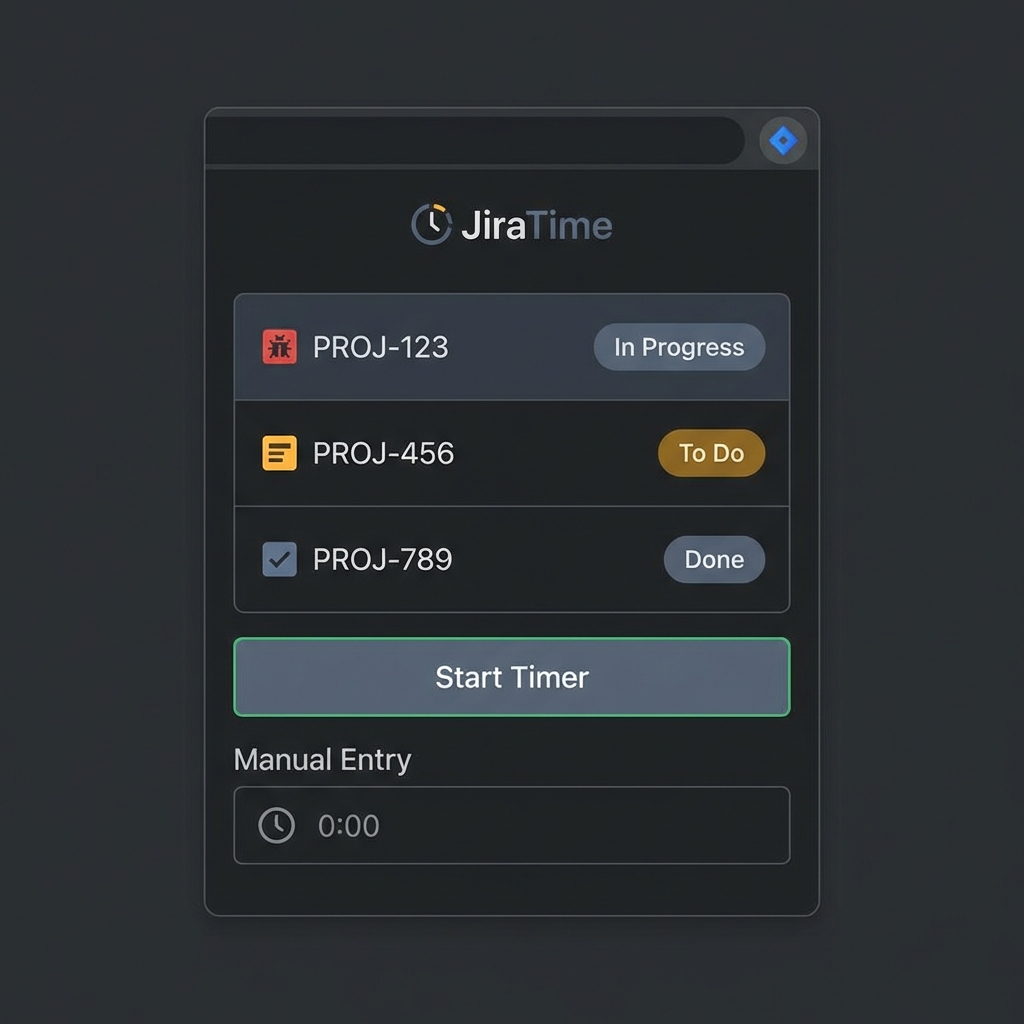
JiraTime is a lightweight browser extension that brings your Jira tickets directly to your toolbar. Log hours in seconds, not minutes.
Built for Developers.
Smart List
Automatically displays your "In Progress" tickets based on customizable filters. No more searching for issue keys.
Live Timer
Start and stop timers with a single click. JiraTime keeps track of the duration while you focus on the code.
Quick Entry
Prefer manual logging? Quickly log time (e.g., "1h 30m") with minimal keystrokes directly from the popup.
Pinned Tasks
Keep important tickets or administrative tasks (like Epics) permanently pinned for instant access.
Installation
Get up and running in less than a minute.
Download the Extension
Download the latest version: JiraTime.zip.
Extract the Archive
Unzip the downloaded file to a permanent location on your computer (e.g., a folder named
JiraTime).
Enable Developer Mode
Open your browser (Chrome, Edge, or Brave) and navigate to
chrome://extensions. Switch on the Developer Mode toggle
in the top right corner.
Load JiraTime
Click the Load unpacked button and select the folder where you extracted the extension. JiraTime will now appear in your toolbar!